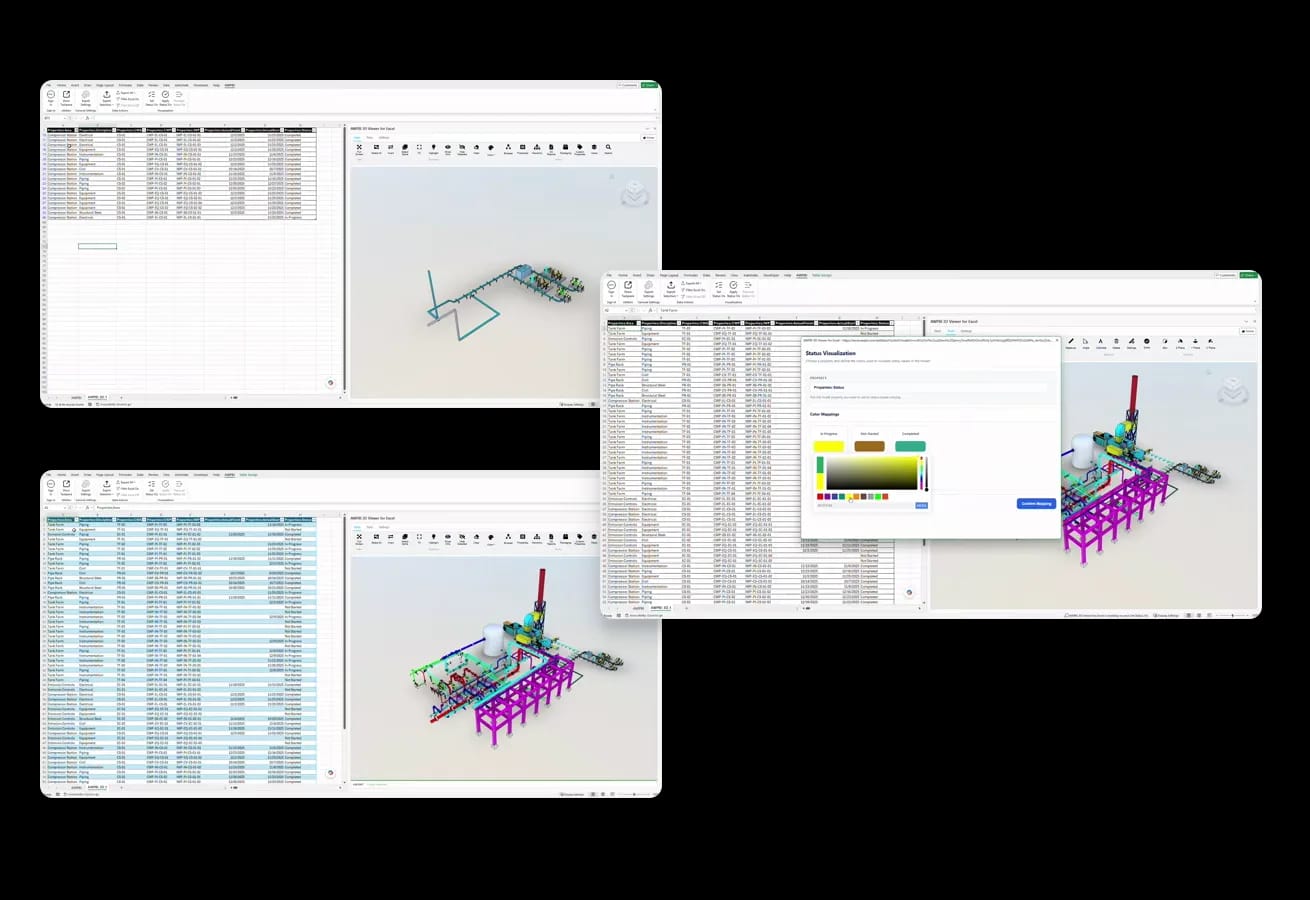
Field engineers plan, track, and report in Excel. 3D for Excel puts the same SVF2 viewer that powers 3D for Power BI into the workbook, so the rows of package data and the model they describe sit on one screen.
Every plan starts with a 30-day trial with everything unlocked.
Everything unlocked for 30 days, from Microsoft AppSource.
IWP registers, lookaheads, and status sheets live in Excel. 3D for Excel puts the model on the same screen, so scope reviews stop bouncing between applications.
Color the model from a status column and the whole register becomes one glance: what is done, what is constrained, what is ready to release.
The same custom SVF2 viewer runs in 3D for Excel, 3D for Power BI, and openAWP, so a model published once behaves the same everywhere.
The same custom viewer behind 3D for Power BI and openAWP, embedded in Excel.
Connect the rows in your workbook to the elements in your model.
Export model data to flat or pivot tables in the workbook.
Go from a tag in a cell to the element in the model.
Orbit, pan, zoom, and isolate elements without leaving Excel.
Review IWP and CWP scope visually before the lookahead meeting.
Works with models from Smart 3D, Navisworks, and Aveva tools.
Installs from Microsoft AppSource like any other Excel add-in.
Design models are published to the SVF2 viewer once, then reused across Excel, Power BI, and openAWP.
 Smart 3DPublish a Smart 3D model to the SVF2 viewer once.
 NavisworksPublish a Navisworks model to the SVF2 viewer once.
 Aveva toolsPublish an Aveva model to the SVF2 viewer once.
 Power BIThe same viewer runs in 3D for Power BI, so a published model behaves the same.
Common in these industries
Book a live demo, or explore pricing and model options on your own.
