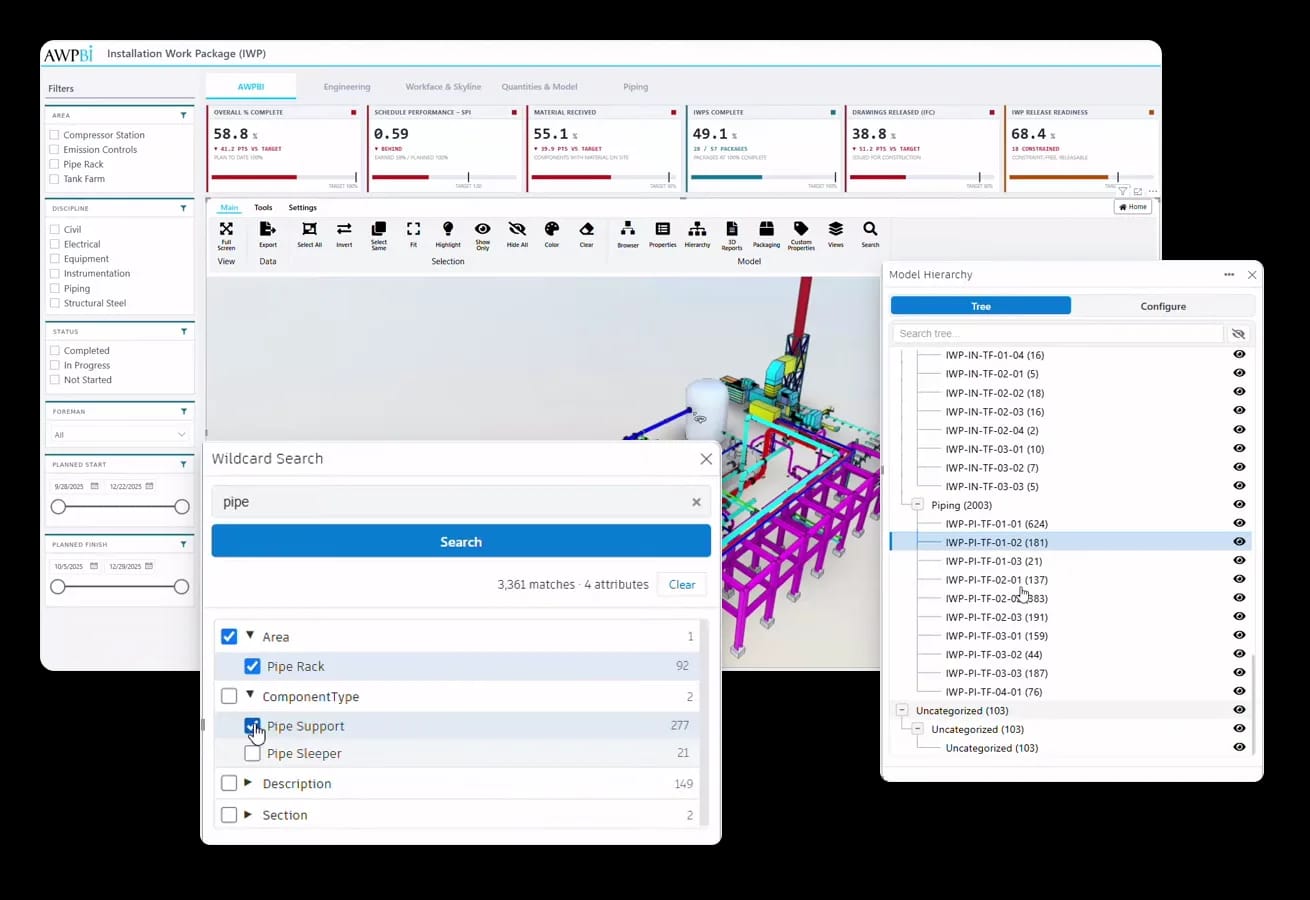
A Power BI custom visual that embeds the SVF2 viewer. Color the model by IWP status straight from your dataset, click steel to filter the rest of the report, and section through congested areas without leaving the page.
Install free from AppSource and view the demo model. Plans add publishing to the Power BI Service and AWPBI model hosting. Hosting your own models via Shares App or direct ACC connection is unlimited on every plan.
Publish, share, and view in the Power BI Service. You host your models. $90 per user annually.
Map any Power BI field to model colors: percent complete from 1 to 100, status keywords like In Progress and Completed, or your own hex codes. IWP and CWA status reads at a glance.
Select objects in the viewer and the report shows only the matching rows. Slice the report and the viewer highlights, isolates, or hides to match.
It is a Power BI custom visual, installed from Microsoft AppSource. If your team opens Power BI reports today, they can open the model today.
The Autodesk Platform Services viewer, embedded as a Power BI custom visual.
Model selections filter the report; report selections drive the model.
Color objects by percent complete, status keywords, or hex codes from your data.
Hierarchical model tree, plus grouping panels built from custom properties.
Point-to-point distance and three-point angle measurement in the viewer.
Cut the model with box or X, Y, Z planes to see inside congested areas.
Highlight, fit to view, show only, or hide the objects behind any data point.
Load models from Autodesk Construction Cloud, the Shares App, or an openAWP project.
3D for Power BI reads models from the Autodesk cloud or from an openAWP deployment, and ships with demo models for evaluation.
 Autodesk Construction CloudConnect to ACC directly. Unlimited on every plan.Shares AppHost your own models through Shares App. Unlimited on every plan.
Common in these industries
Book a live demo, or talk to us about licensing and report buildout.
