Two free add-ins for Autodesk Navisworks. Create and edit installation work packages against the model, with the details, schedule, roles, scope, and components held on the package. Power BI Connector links the model to your reporting stack.
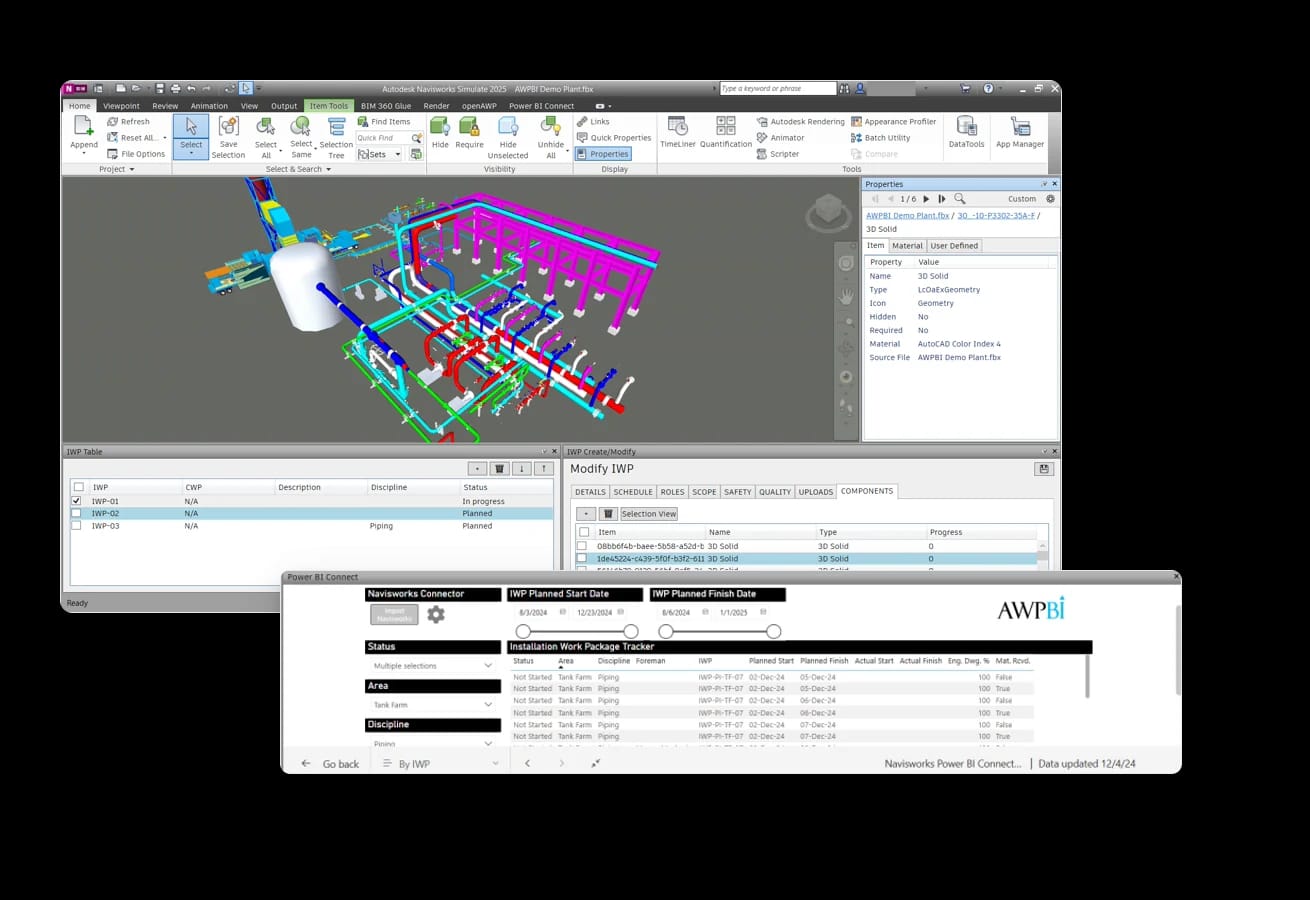
Both add-ins are free for every Navisworks user.
Create and edit packages against the model, with their components.
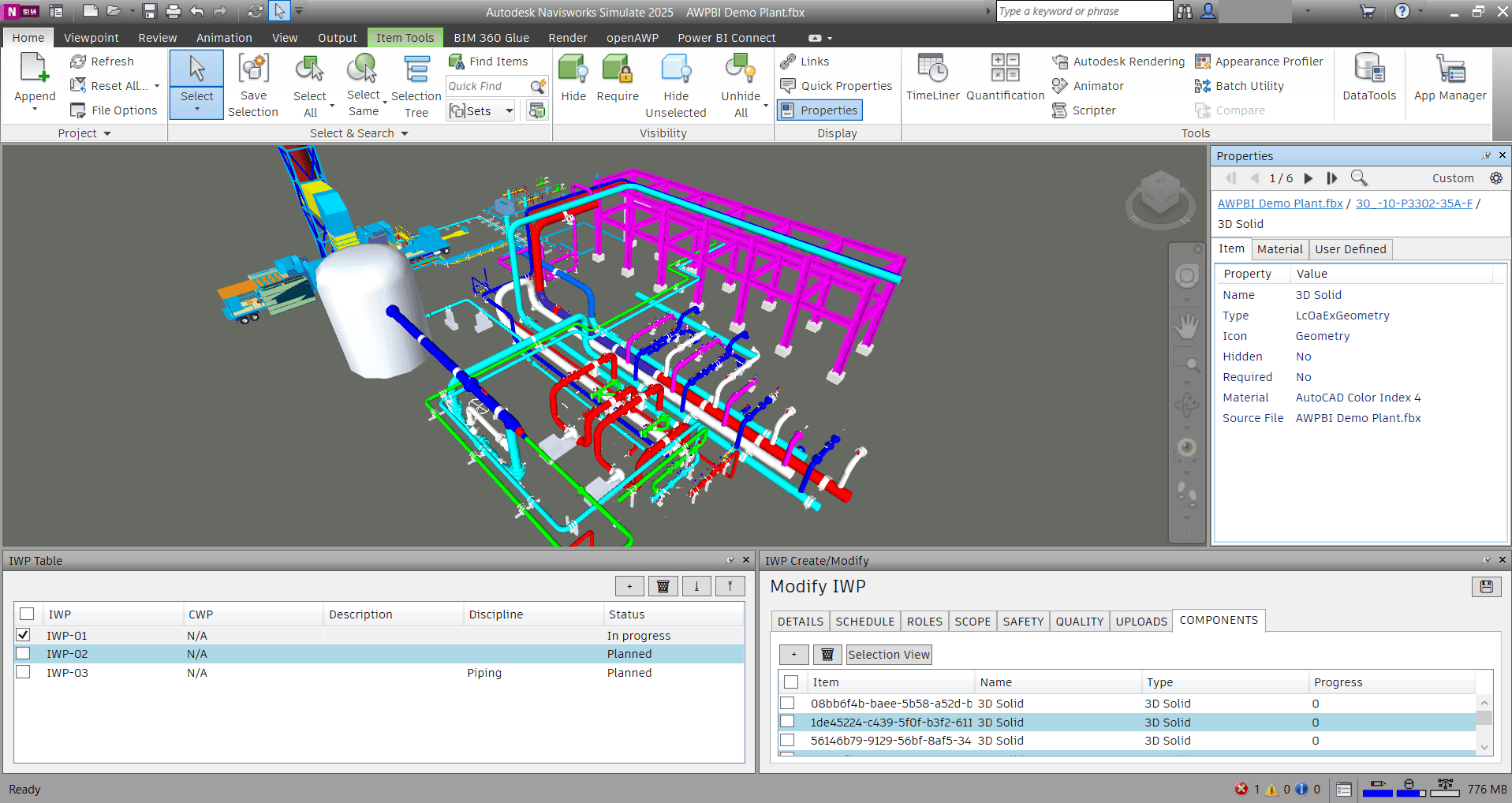
Create and edit IWPs without leaving Navisworks. The package table carries IWP, CWP, discipline, and status. The editor holds details, schedule, roles, scope, safety, quality, and uploads, and the components tab lists the model objects on the package with the progress against each.
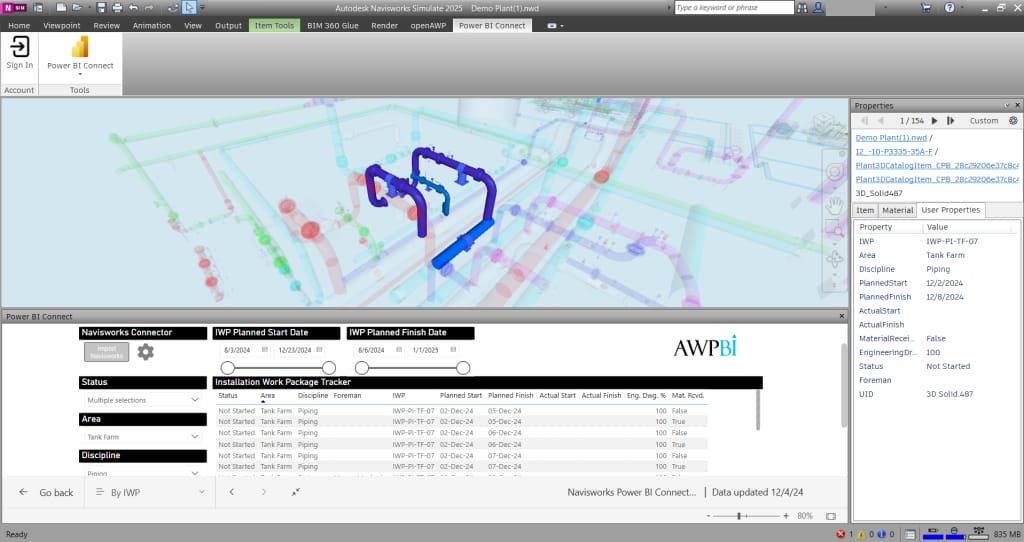
Power BI Connector links the Navisworks model to Power BI, so model data lands in the same reports as your schedule and progress data.
IWP, CWP, description, discipline, and status in one dock.
The model objects a package covers, with progress against each.
Details, schedule, roles, scope, safety, quality, and uploads.
Move Navisworks model data into your Power BI reporting.
The add-ins run inside Autodesk Navisworks and feed the reporting stack you already have.
 NavisworksThe add-ins run inside Autodesk Navisworks.
 Power BIMove Navisworks model data into your Power BI reporting.
Common in these industries
Free add-ins today. We can also wire the data into your project dashboards.
